Demo available

Your photo printer becomes a wireless experience network.

Paloma is a small box that connects any USB photo printer to Storyface and creates an on-site network where everyone prints their photos from a smartphone, tablet or PC.
Paloma
A USB photo printer, a Paloma box, and the guests' smartphones USB photo printerPaloma boxSmartphone, tablet, PC
A USB photo printer, a Paloma box, and the guests' smartphones
Sinfonia CS2Citizen CX-02DNP DS620DNP QW410

The product

A compact fanless box that plugs in next to the printer.
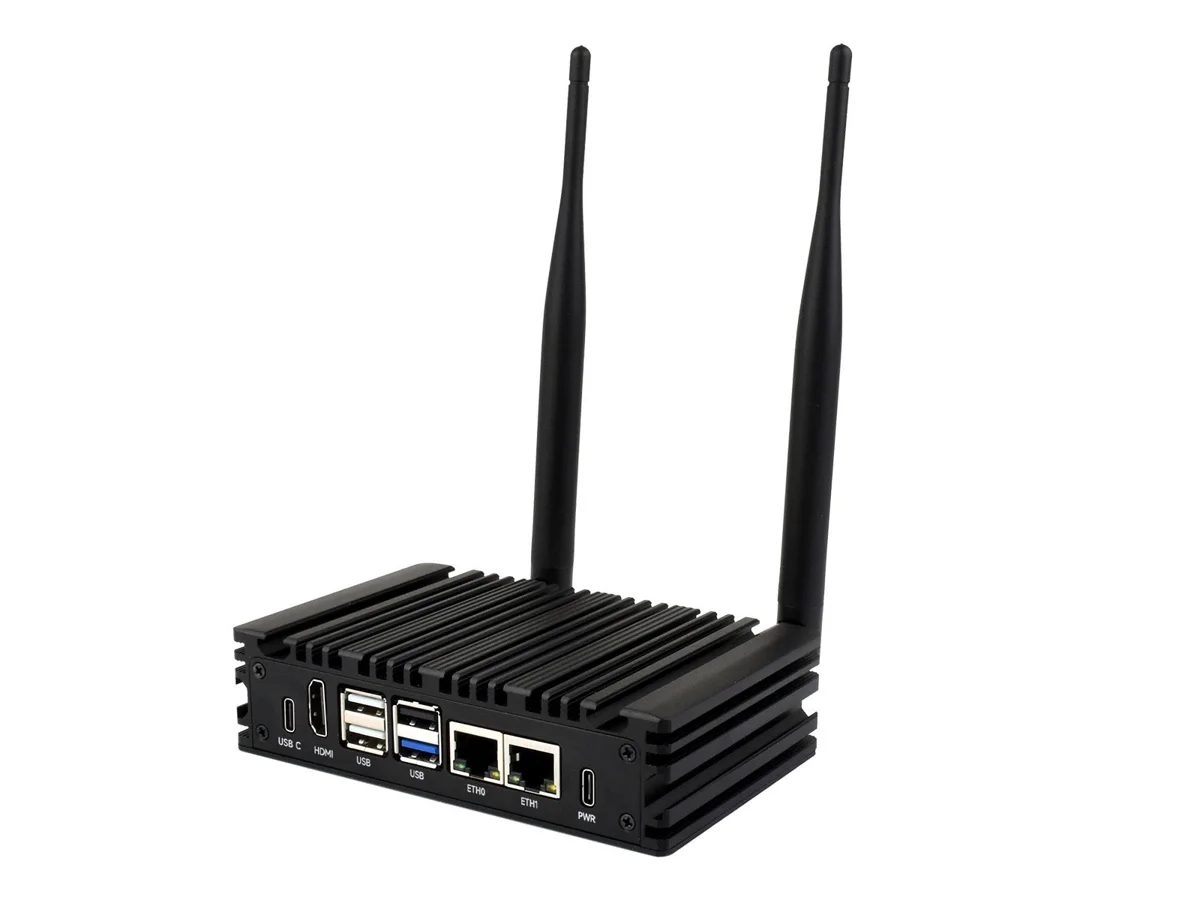
Paloma
Plugs into
Sinfonia CS2, Citizen CX-02, DNP DS620, DNP QW410, HITIT and any USB photo printer on the market.
Connects over
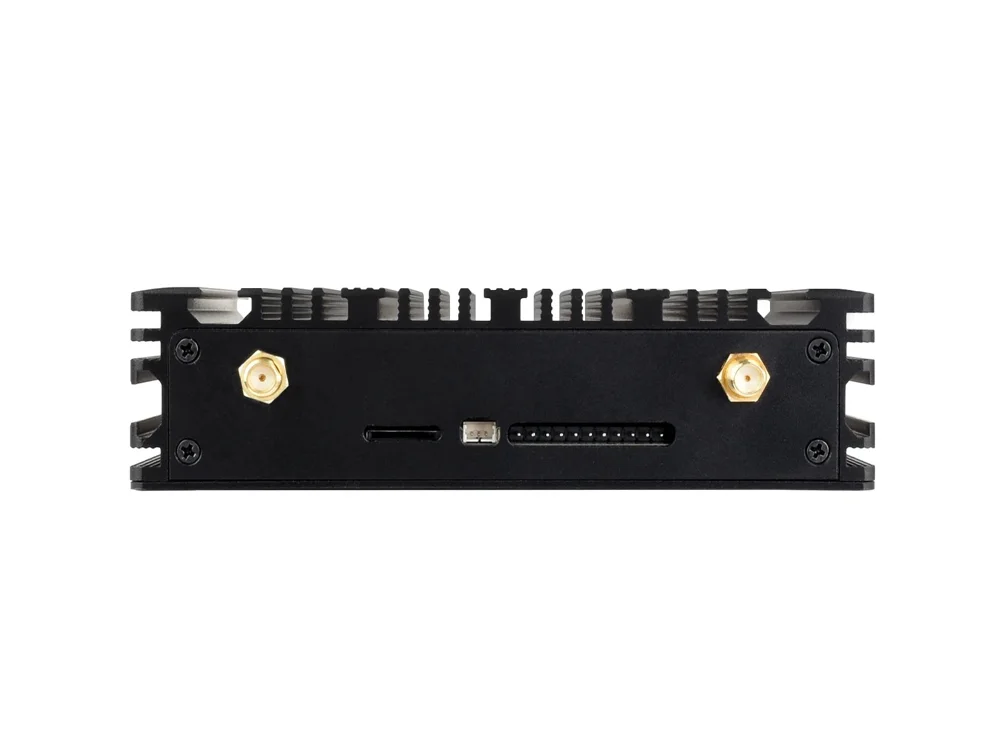
Wi-Fi, 4G and Bluetooth, with its two antennas.
Ports
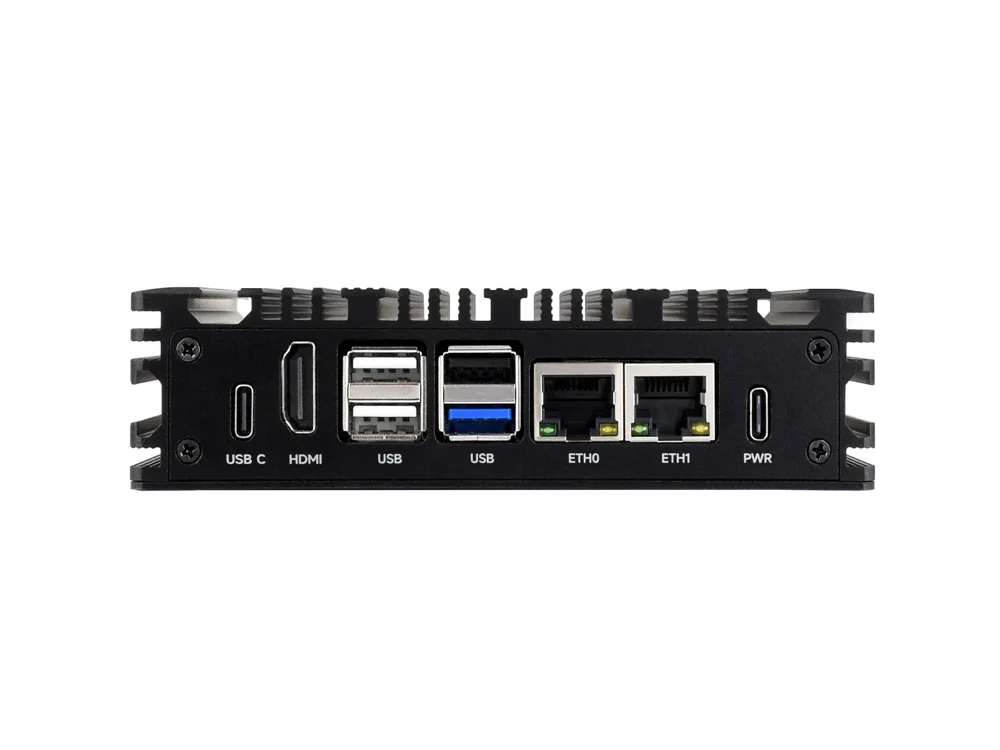
USB ports, two Ethernet ports, HDMI, USB-C power.
Print sizes
10×15 and 5×15, depending on what the printer accepts. Landscape or portrait.
The box, front view
The box, front view
The box, rear view
The box, rear view
Supported printers (90 models)

List of models supported by the print driver. Compatibility is confirmed model by model.

Sinfonia / Shinko

  • CHC-S2145
  • CHC-S1245
  • CHC-S6245
  • CHC-S6145
  • CIAAT Brava 21 (aka CHC-S6145D)
  • CHC-S2245

DNP

  • DS480
  • DS680
  • DS40
  • DS80
  • DSRX1
  • DS620
  • DS80DX
  • DS820
  • QW410

Citizen

  • CW-01

HiTi

  • P520L/P525L
  • P720L/P750L
  • P510/P518 series
  • P461 Prinhome
  • P630 series

Mitsubishi

  • CP3020D/DU/DE
  • CP3020DA/DAE
  • CP9550D
  • CP9810D
  • CPD70D
  • CPK60D
  • CPD80D
  • CPD90D
  • CP9600D
  • CP9550DW-S
  • CP9800D
  • P95D/DW
  • CP9500D
  • P93D/DW
  • CPD707D
  • CP-M1 family
  • CP30 family
  • CP-W5000 family

Kodak

  • Easyshare Dock family
  • Photo Printer 6800
  • Photo Printer 6850
  • Photo Printer 605
  • Professional 1400
  • Photo Printer 805
  • Professional 9810 (and 8800)
  • 8810
  • 7000/7010
  • 6900
  • 7015
  • Professional 8500
  • 305

Canon

  • CP-10
  • CP-100, CP-200, CP-300
  • SELPHY ES1
  • SELPHY ES2, SELPHY ES20
  • SELPHY ES3, SELPHY ES30
  • SELPHY ES40
  • SELPHY CP790
  • SELPHY CP800
  • SELPHY CP900
  • CP820, CP910, CP1000, CP1200, CP1300, CP1500

Sony

  • UP-DP10
  • UP-DR150
  • DPP-EX5, DPP-EX7
  • UP-DR100
  • UP-DR200
  • UP-CR10L / DNP SL10
  • UP-D895 Family
  • UP-D897 Family
  • UP-D898 Family
  • UP-CR20L
  • UP-DR80 series
  • UP-CX1
  • UP-971AD/UP-991AD
  • UP-D711 Family

Fujifilm

  • Printpix CX-400
  • Printpix CX-550
  • FinePix NX-500
  • ASK-300
  • ASK-2000/2500
  • ASK-4000

Olympus

  • P-10, P-11
  • P-200
  • P-300
  • P-400
  • P-440
  • P-S100

Magicard

  • Series w/ Duplex
  • Series w/o Duplex

The service

Two ways to use it, with the same box.

The Storyface cloud

The printer joins the platform: prints can be triggered from any Storyface device.

The “Free Photobooth Storyface” local network

Paloma creates its own Wi-Fi network. Guests join it and print on site, even without Internet.

1

Connect

Scan the QR code or pick the Free Photobooth Storyface network.

2

The page opens

It appears by itself, with no app to install.

3

Pick a photo

From the gallery, as a selfie with the camera, or with the live camera.

4

Print

Photo alone, with a frame, on a virtual photocall, or as a burst.
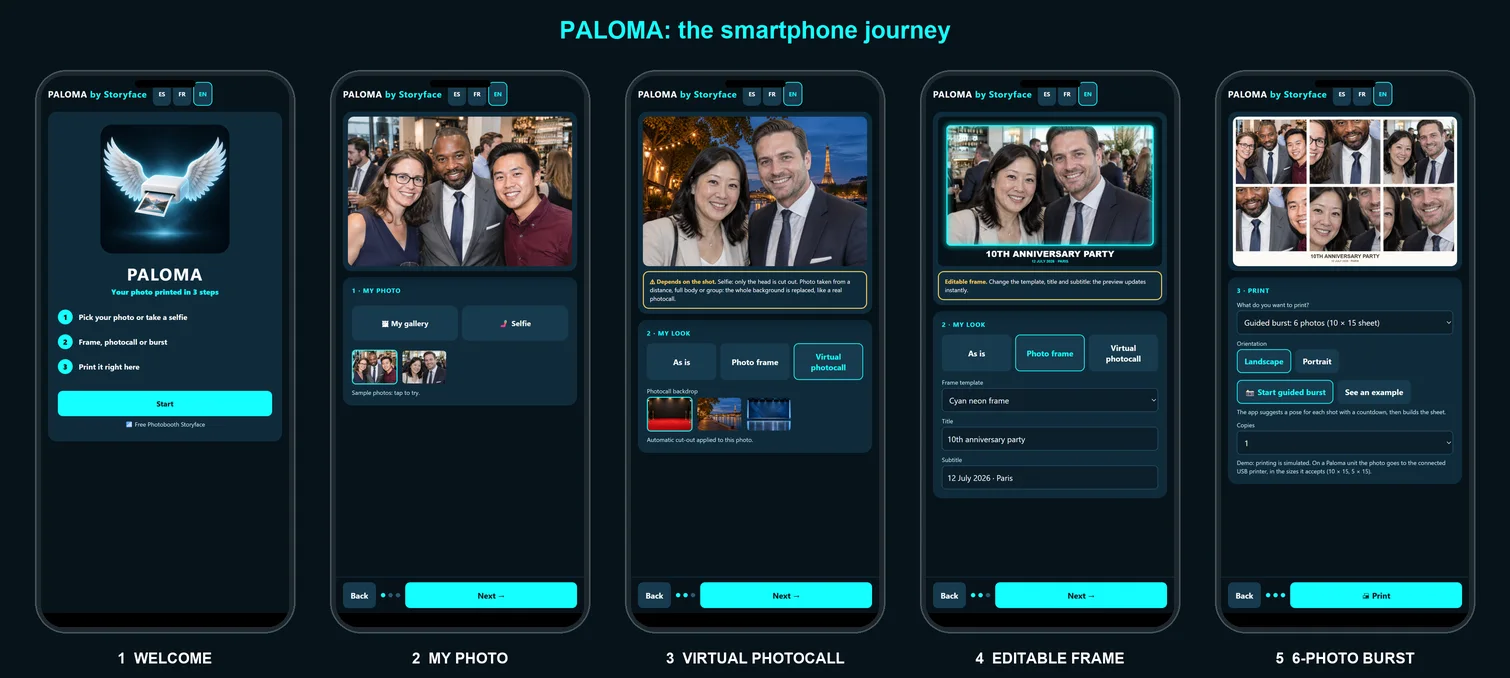
No AI image generation: Paloma prints and formats your photos. Simple, fast, made for a leisure activity.

The smartphone journey

The smartphone journey

Features

From the simplest to the most advanced, online and offline.

Print as is

The photo goes straight to the printer.

Editable photo frames

Overlays and templates included. Title, date and template are changed from the platform.

Virtual photocall: green screen without a green screen

Automatic cut-out, then a backdrop of your choice. No cloth, no lighting.

Guided burst: 3 or 6 photos

One pose per shot, countdown, then an assembled sheet: 3 photos as a 5×15 strip, 6 photos on a 10×15 sheet.

Three ways to take your photo

The gallery, a selfie with the phone camera, or the live camera of a tablet or PC.

Sizes and orientation

10×15 or 5×15, landscape or portrait, number of copies of your choice.

Three languages

The interface comes in French, Spanish and English.

All Storyface devices

Smartphone, tablet, PC, kiosk, Kooki, Pocket Kooki, smart glasses.

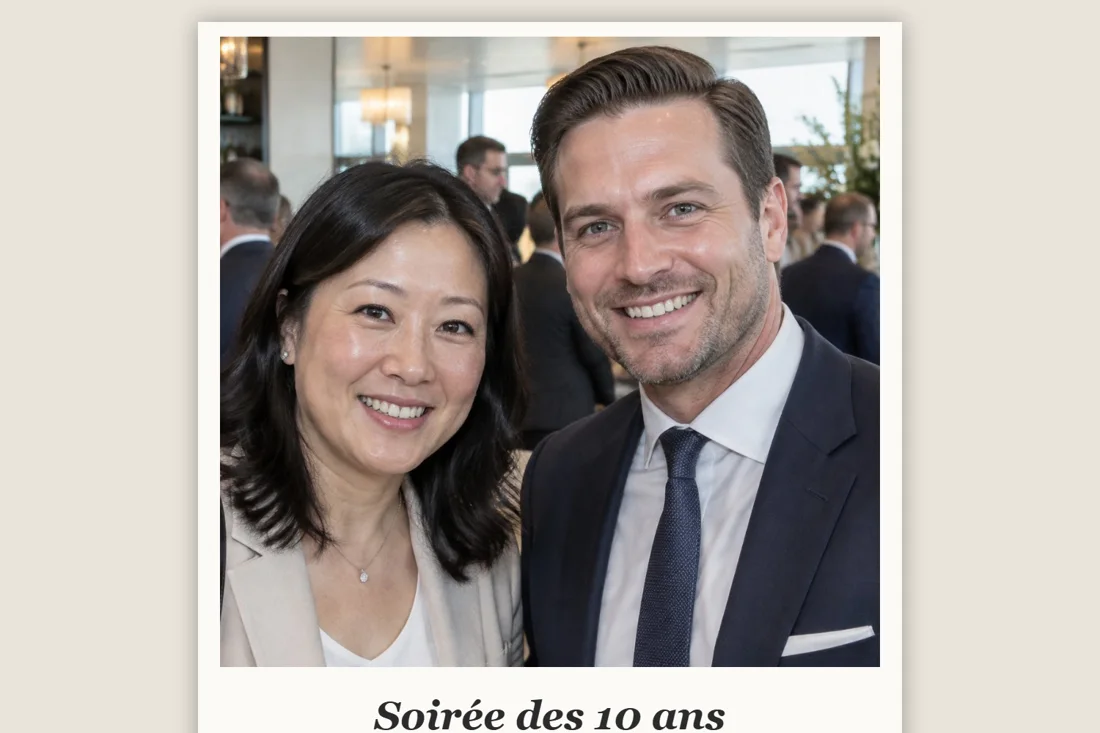
Before
→
After
⚠ Note: the photo decides the result
On a selfie, the cut-out covers the head. On a photo taken from a distance, full-length or of a group, the whole background is replaced, like a real photocall.

Try the demo

Open it on your phone: pick a photo, a frame or a photocall, and start a burst. Printing is simulated.

Open the demo Test on a simulated smartphone Documentation (PIN code)

Stand sheet

Print it and put it on the stand: the Wi-Fi QR and the page QR.

Download the sheet
QR
Scan to open the demo

Frequently asked questions

Which printers?

For example the Sinfonia CS2, the Citizen CX-02 or the DNP DS620 or the QW410, and any USB photo printer on the market. Tell us your model and we will confirm compatibility.

Is Internet needed?

Not for the local network: guests print even without a connection. The link to the Storyface cloud goes over Wi-Fi, 4G or Bluetooth.

Do I need to install an app?

No. The page opens by itself after joining the Wi-Fi, or by scanning a QR code.

Is it generative AI?

No. Paloma does not invent images: it prints, frames, cuts out and assembles your photos.

Which paper sizes?

10×15 and 5×15, depending on what the printer accepts.

Contact

Emmanuel Ruiz

emmanuel.ruiz@storyface.ai
+33 6 02 09 09 09
storyface.ai